01
Leads are spread across too many places
Website forms, WhatsApp messages, ad leads and partner referrals rarely arrive in one clear queue.
Slow response and repeated work


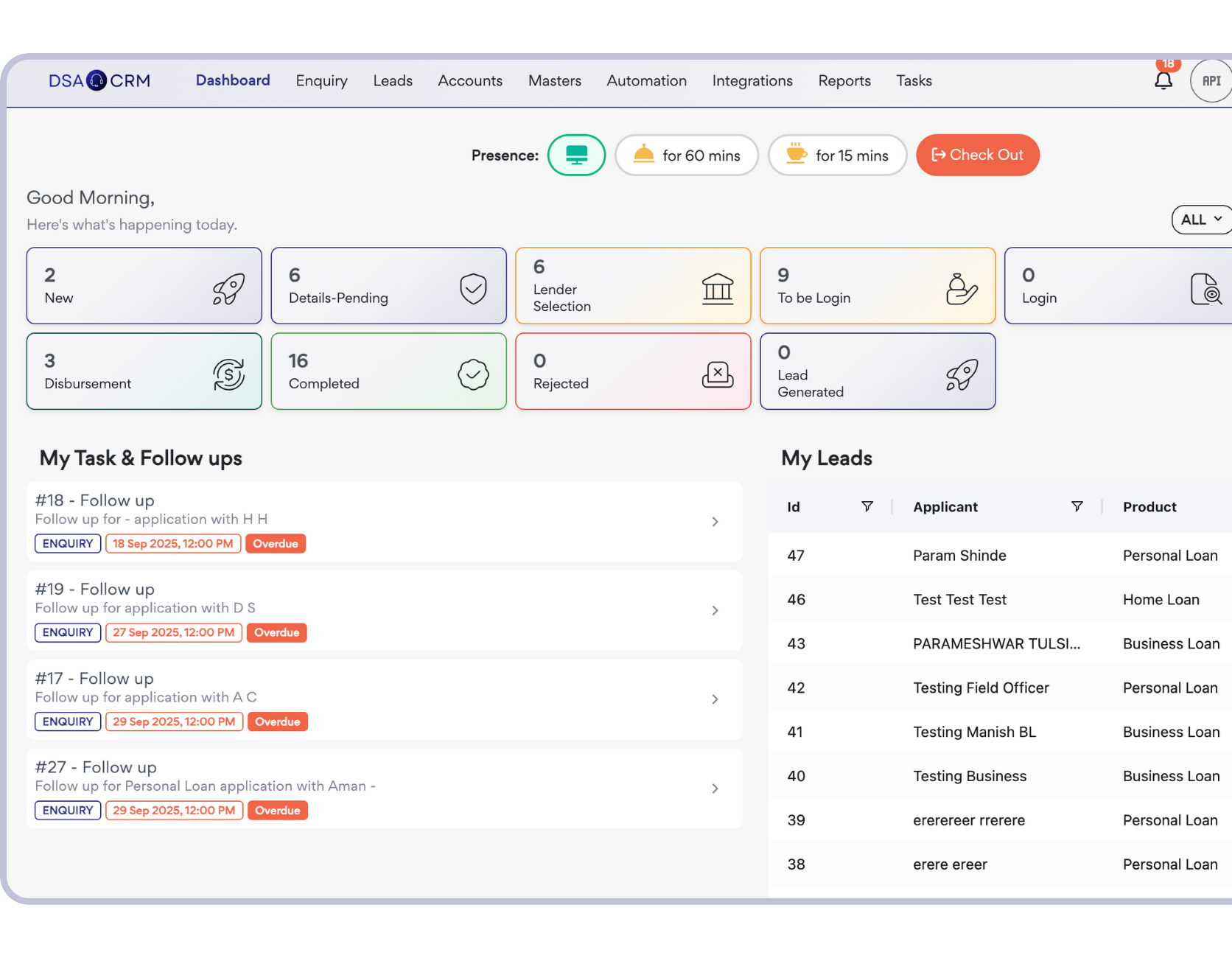
Helping financial distribution teams manage enquiries, lenders, teams and payouts from one unified platform.














The problem is rarely a lack of effort. It is the number of hand-offs, files and follow-ups a growing DSA team is expected to remember.
Website forms, WhatsApp messages, ad leads and partner referrals rarely arrive in one clear queue.
Slow response and repeated work
A busy day, a missed reminder or an absent employee can quietly turn a warm enquiry cold.
Good enquiries quietly go cold
Documents, lender conversations and application status stay buried in chats, calls and spreadsheets.
Nobody is sure where the file stands
Branch, employee and connector performance is difficult to review without asking everyone separately.
Decisions happen after the delay
Connector commissions and settlements get harder to explain as volumes and partner networks grow.
More checking, questions and disputes
DSACRM keeps reporting inside the work your team already completes.
Enquiries copied between sheets and chats
Every enquiry enters one visible pipeline
Manual allocation and repeated follow-up calls
Ownership, tasks and reminders stay connected
Documents requested one file at a time
Customers share documents through a structured flow
Lender status depends on phone updates
Application movement is recorded in the CRM
Team reviews begin with data collection
Managers open a live operational view
Connector payouts checked from multiple records
Payout requests and settlements follow one process
Each stage leaves the next person with the context they need.


Four core workflows, shown with real DSACRM product screens.
Stop checking separate sheets, ad panels and chat groups before the team can start working. DSACRM keeps the source, owner and first action together.
Website and campaign lead capture
Source-aware enquiry records
Manual or rule-based assignment
Clear ownership from the first contact
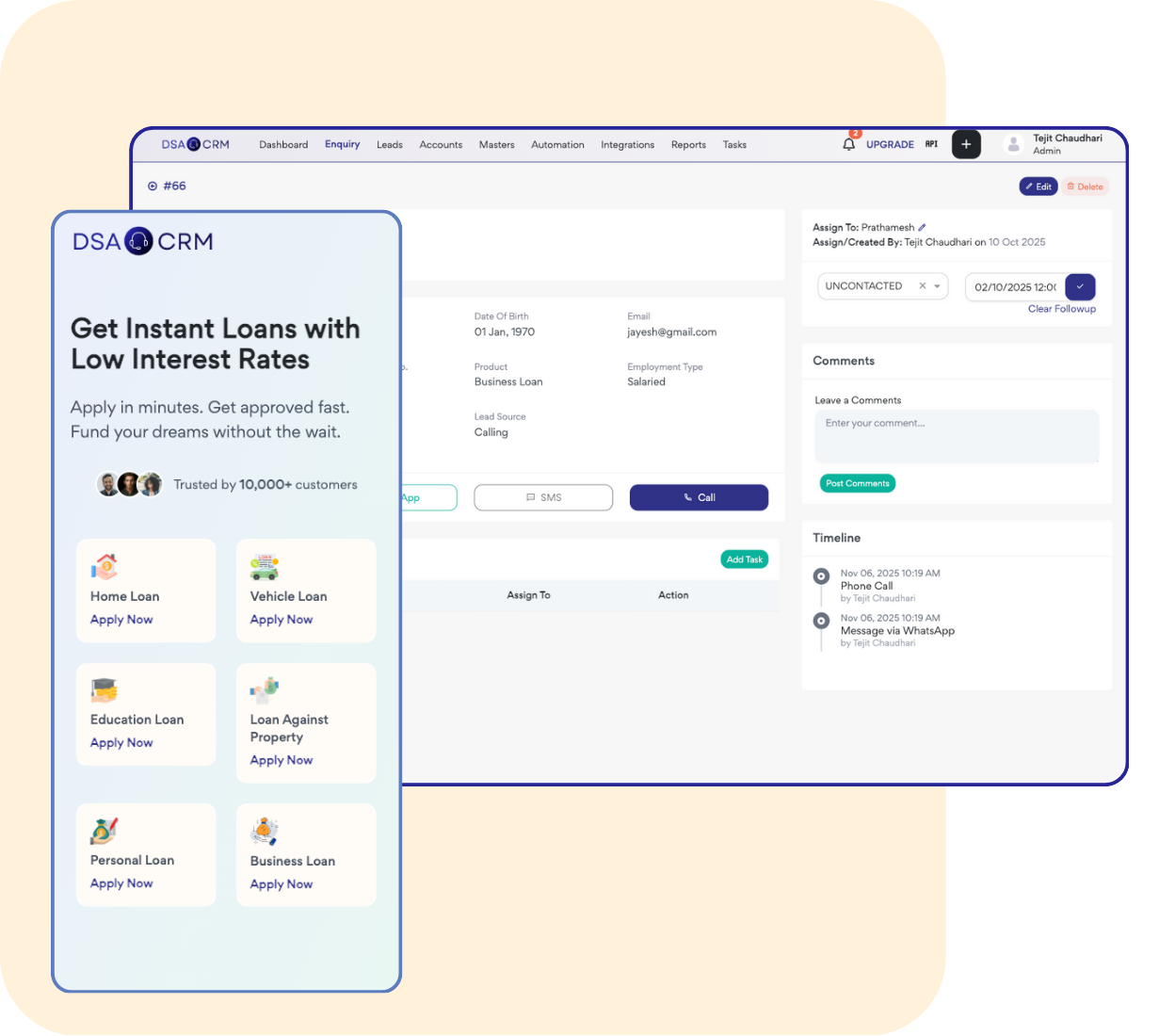
Follow-ups work better when they are part of the process, not a personal reminder list. Managers can see what is due, overdue and completed.
Tasks and follow-up reminders
Conversation and activity history
Due and overdue visibility
Manager view of pending action
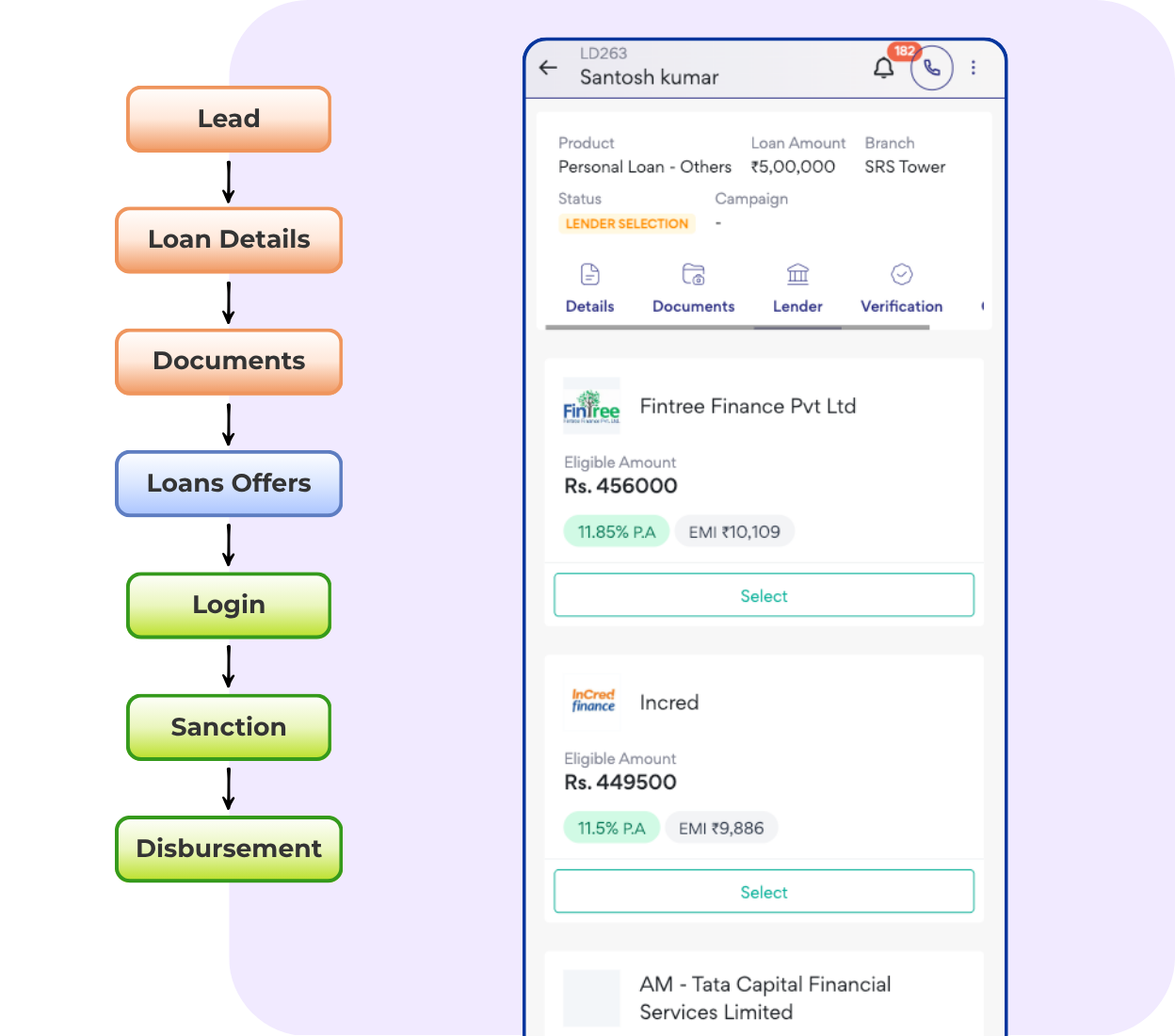
Keep customer requirements, documents, lender options and application stages together so the team can answer status questions confidently.
Stage-based loan processing
Application-wise document checklist
Lender and product workflow
Sanction and disbursement tracking
Owners and managers can review enquiries, applications, pending work and team performance from the same records used every day.
Live business overview
Employee and branch activity
Source and conversion reporting
Pending tasks and application stages
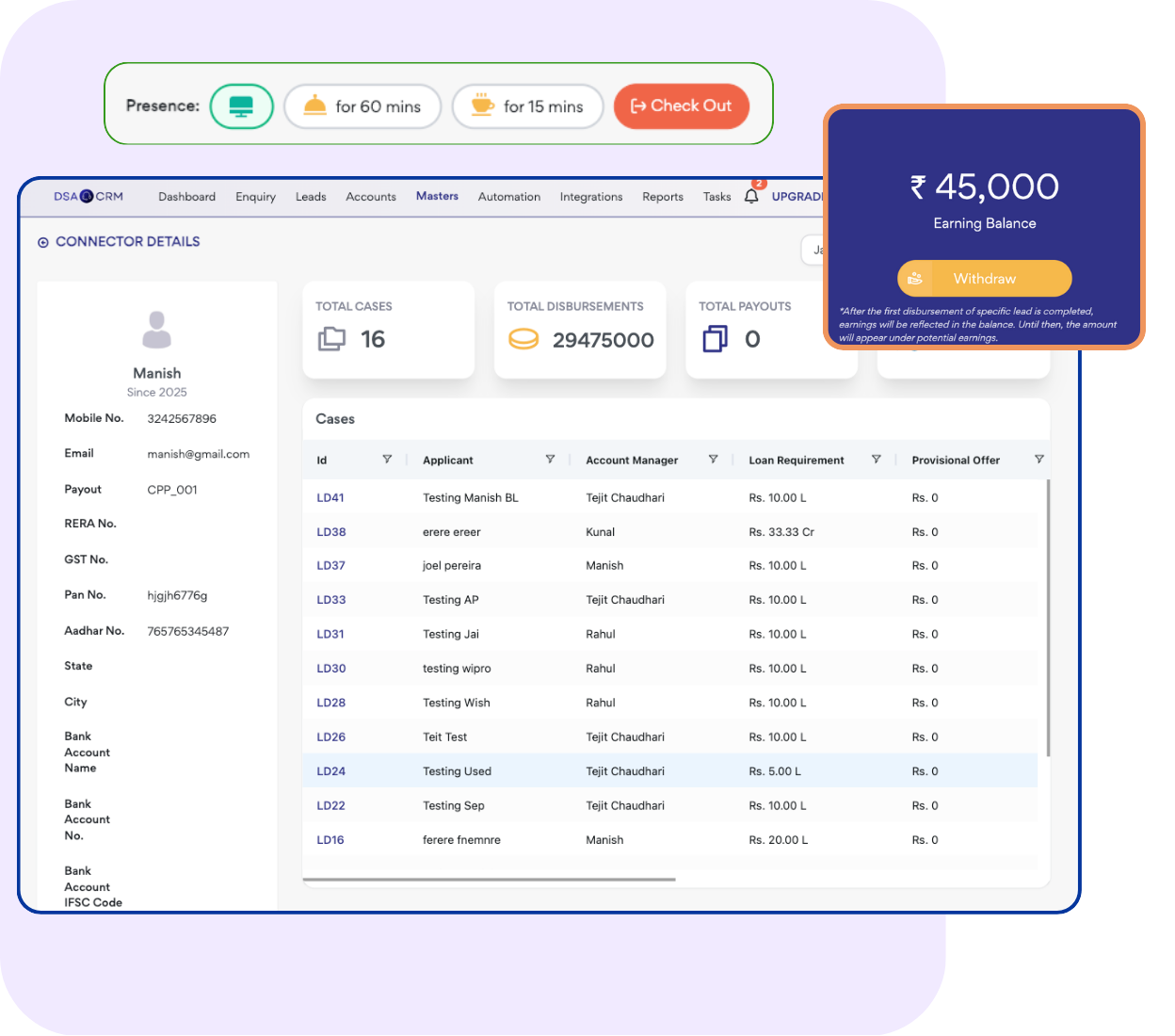
Advanced controls stay available when branches, connectors and payout work become part of the daily operation.
Structure access and reporting as your internal team grows.
Keep partner sourcing, activity and ownership visible.
Manage payout requests and settlement history in one workflow.
Review source, employee, branch and application performance.
Choose a product area to see the real screen used to manage it.
Inside DSACRM
See where each enquiry came from, who owns it and what needs to happen next.
DSACRM turns everyday team activity into an operational view you can review before the weekly meeting.
See the Owner DashboardOpen DSACRM to review:
The difference shows up when a lead becomes a document-heavy, lender-facing application.
Capabilities vary by provider and setup. This comparison describes the typical operating model, not every product in the market.
Implementation begins with your current process, not a blank software checklist.
Review users, team structure and required workflows before choosing a plan.
Create your DSACRM account and explore the software at your own pace.
Yes. Create your DSACRM account and explore the software at your own pace. See how enquiries, follow-ups and loan applications fit your business before choosing a plan. You can request a guided walkthrough if you need help.
DSACRM is designed around loan distribution workflows used by DSAs, lending teams, branches, connectors and similar financial distribution operations.
Yes. DSACRM supports website and campaign lead capture, source-aware records and integrations that can bring enquiries into a central workflow.
Yes. Applications can move through defined stages with lender, product and document information linked to the customer file.
Yes. Branch workspaces, team hierarchy and role-based access help give users the right level of visibility.
DSACRM includes connector onboarding, wallet, commission and payout-request workflows. Explore how these fit your business, and contact the team if you need help with configuration.
Free Excel or CSV lead import is available with eligible annual plans. The team will review your data format before migration.
The right plan depends on your team size, users and required workflows. Register to explore the software, then compare the available plans to find the right fit. The DSACRM team can help if you need a recommendation.
Start by registering for a DSACRM account and exploring the workflows that matter to your team. When you are ready to set up your business, the team can help with roles, configuration and migration. Go-live timing depends on your setup and data needs.
Yes. You can explore DSACRM on your own and ask for guidance whenever you need it. Onboarding includes a guided product walkthrough and help with the initial workflow setup.